Advertisers advice
Dealerbase Password & Username Guide
We have enhanced the password creation, change, and forgotten flows.
Better Account Security
We have enhanced the password creation, change, and forgotten flows:
- Providing a better user experience with clear guidance as to password requirements
- Ensuring that password creation meets minimum security standards
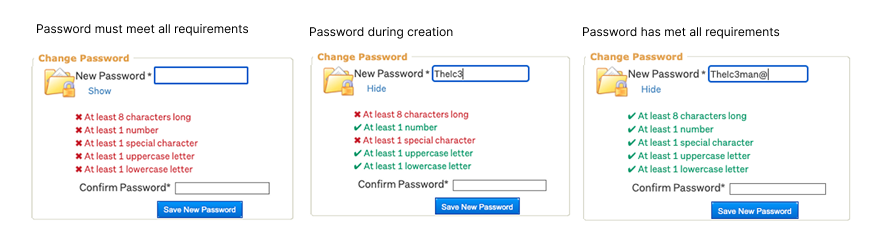
When creating a user, changing your password, or using the forgotten password option*, you are now shown the password requirements. These are interactively ticked as your password is created. You also have the ability to show your password characters during creation. Your password must be at least 8 characters and must contain at least one number, one special character, one uppercase letter and one lowercase letter.
Changing your username
Find it hard to remember your Dealerbase username?
- You are able to set your own username in Dealerbase
- You can use a mix of alpha and numeric characters
- Your username needs to be at least 6 characters long
- Your username is not case sensitive
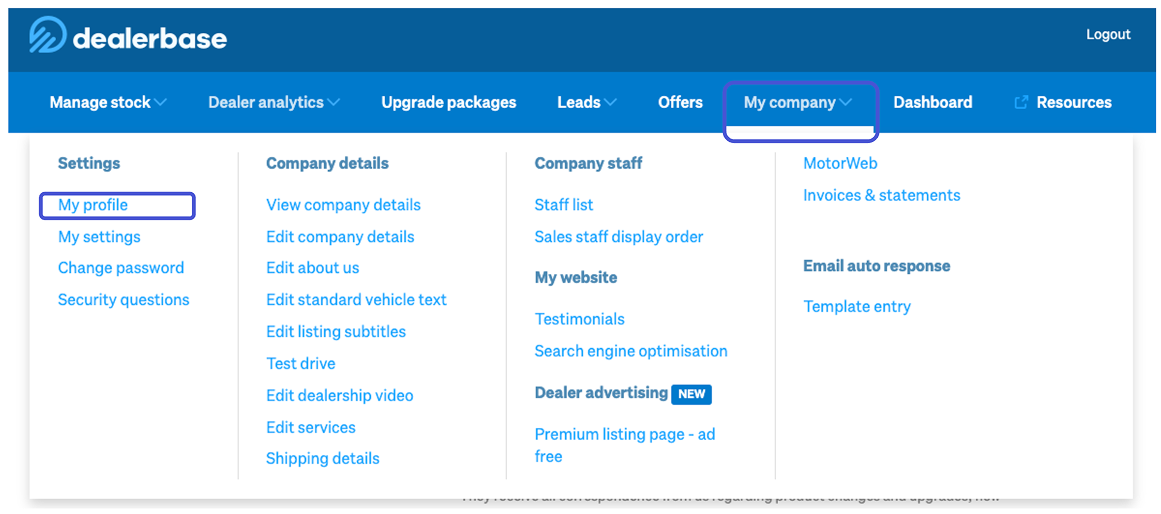
To change your username, head to My Profile under the My Company navigation once logged in to Dealerbase:
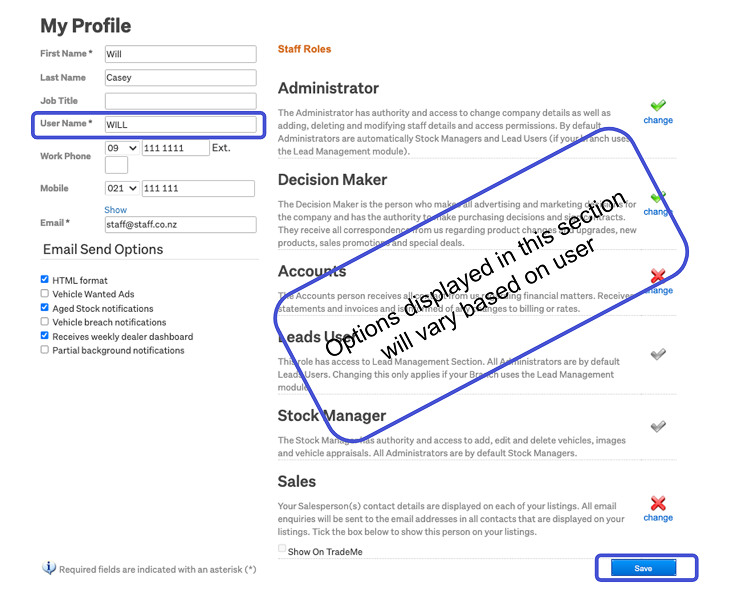
Enter your chosen username into the User Name* field and then click save
Other articles you might like


